In this article
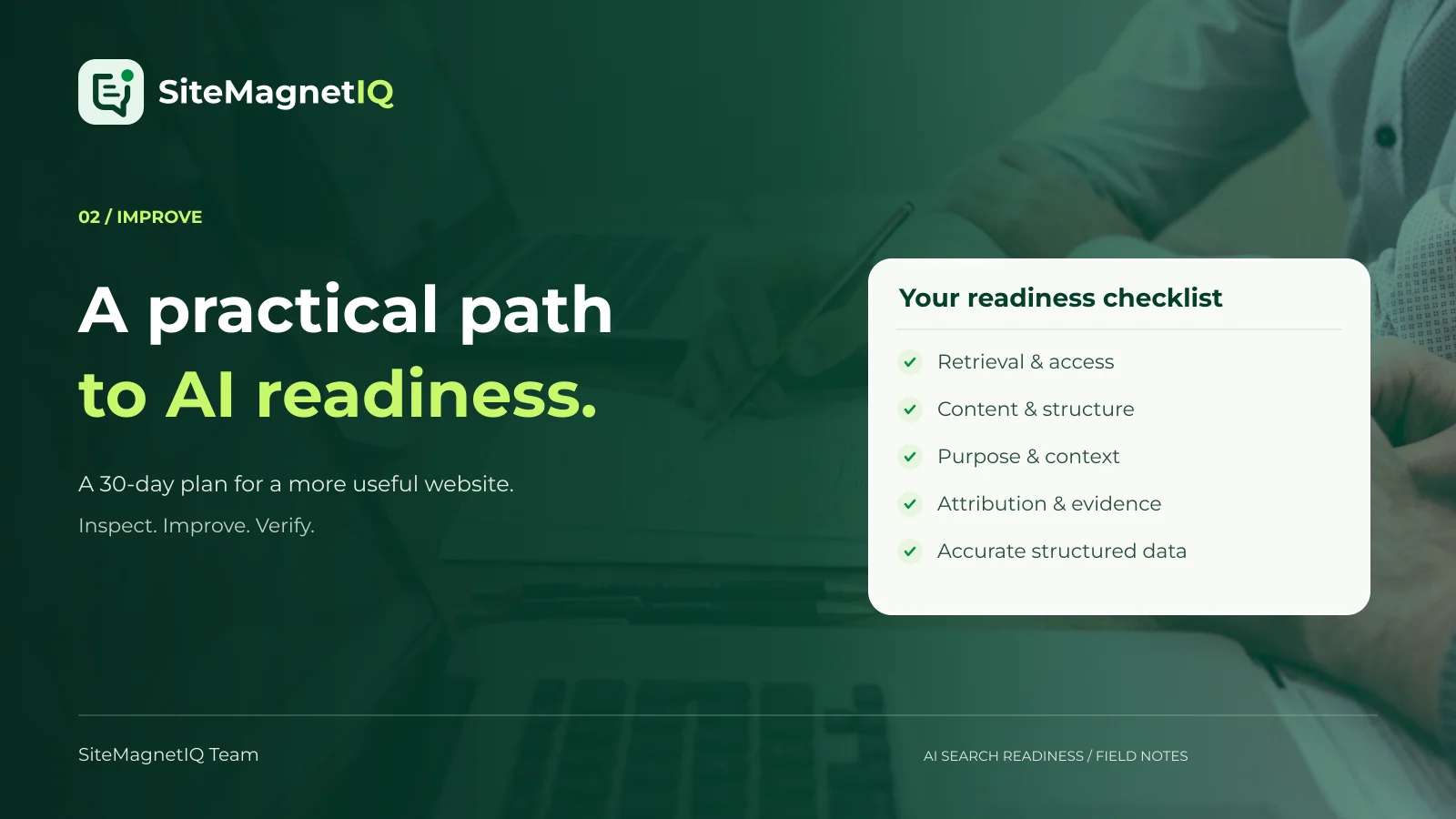
Improve AI search readiness by making important public pages retrievable, explaining your offer clearly, supporting claims with evidence, and verifying each change; the 30-day checklist below turns those responsibilities into a manageable website improvement plan.
A readiness project should leave your website more useful even if no AI answer changes immediately. Customers still need accurate descriptions, working pages, understandable comparisons, and trustworthy information. Improving those foundations creates a defensible project. Chasing an undocumented secret formula creates an expensive sequence of guesses.
The schedule in this guide is an editorial planning framework, not a promise that search systems will update within 30 days. A small site can complete some tasks quickly. A large organization may need approvals, engineering work, localization, and longer observation periods. Keep the order of operations, then adapt the timing to your actual constraints.
What belongs on an AI search readiness checklist?
An AI search readiness checklist should cover the website conditions you can inspect and improve. It should not pretend to certify how every assistant will describe your business. Start with access and content, then connect evidence, structured data, usability, and measurement.
| Workstream | Question to answer | Evidence to save | Typical owner |
|---|---|---|---|
| Access | Can a relevant system retrieve the public page? | Responses, redirects, crawler rules, and readable HTML | Developer or infrastructure team |
| Meaning | Does the page explain the offer and its purpose? | Page passages, headings, and customer questions | Content or product marketing |
| Evidence | Can a reader verify important claims? | Documentation, methods, sources, and responsible authors | Subject specialist |
| Consistency | Do visible facts and structured data agree? | Canonical references and JSON-LD review | Developer and editor |
| Experience | Can a visitor use the page and take the next step? | Mobile checks, accessibility review, and performance observations | Design and engineering |
| Measurement | Can the team tell what changed? | Baselines, deployment log, and repeatable observations | Analytics or marketing operations |
A checklist becomes useful when every item has an acceptance condition. “Improve authority” is difficult to finish. “Replace the unsupported implementation claim on the integrations page with linked documentation and a named reviewer” is a task someone can complete and verify.
What the research does—and does not—justify
The 2024 GEO paper introduced a 10,000-query benchmark and reported visibility improvements of up to 40% in its experiments. Those outcomes depend on the paper’s systems, metrics, and evaluation conditions; they are not a promise that adding a citation will lift your website’s traffic or commercial recommendations by 40%. Read the original GEO paper.
The useful application is to test content improvements rather than repeat a headline percentage in a sales deck. An explanatory page can become clearer, better supported, and easier to evaluate. Whether that change produces additional citations is a separate question that requires observations from the services your audience uses.
Google’s AI-feature guidance says that normal SEO foundations remain relevant and that its AI search features do not require a special additional optimization layer. Use that statement to resist arbitrary file, schema, or formatting requirements presented as universal entry tickets. Review Google’s AI-feature documentation.
Before day 1: define the scope and the baseline
Choose a set of pages that matter to actual customer decisions. A useful starter inventory might contain 20 URLs, divided into five page groups with four pages each. This is a worked planning example, not a validated sampling rule. A larger site needs additional coverage for different templates, languages, and business units.
Possible groups include the homepage and company information, product or service pages, comparisons, implementation documentation, and educational articles. If a category does not exist on your website, replace it with a more relevant one. Do not create low-value pages merely to satisfy a spreadsheet layout.
For each URL, record its purpose, intended audience, owner, current status, and the customer question it should answer. Save a dated baseline of key content and any known issues. Record the audit version and inspection method so later comparisons use the same scope.
A baseline prevents a common reporting mistake: claiming improvement after changing the sample. If the first audit covers 20 difficult pages and the second covers five easy pages, a better score may reflect scope rather than better content. Preserve the original cohort and report newly added pages separately.
Days 1–3: verify access before editing the content
Begin with the path from a public URL to a usable response. Open each sampled page without signing in. Inspect redirects, response codes, unexpected challenges, and the content returned before client-side interactions. Ask a developer to compare what a browser renders with what the server initially provides.
The goal is to identify a specific obstacle rather than declare that JavaScript is automatically bad. Many websites use JavaScript successfully. A problem occurs when the information needed to understand the page is unavailable to a relevant retrieval process or only appears after an interaction the process cannot complete.
Access acceptance checklist
- The intended public URL resolves and returns the expected page.
- Redirects lead to the preferred destination without avoidable loops.
- Public content does not require an account or a challenge intended for protected areas.
- The page includes meaningful explanatory content rather than navigation alone.
- Important internal links lead to working public destinations.
- An owner can explain the crawler policy and any intentional restrictions.
Use monitoring or logs where they are available and appropriate. A one-time successful request does not rule out intermittent failures. If an issue happens only for certain networks or times, preserve those conditions in the ticket. Reproducible evidence helps an infrastructure team distinguish a real access problem from an unrelated editor preview.
Days 4–5: review indexing and crawler controls deliberately
Access decisions should be explicit. Decide which content is public, which content should appear in search, and which content should remain private. Keep account areas, administration tools, and confidential materials out of a discovery project. Public marketing goals do not justify weakening unrelated protections.
Google explains that robots.txt manages crawling and is not a dependable method for keeping a URL out of its index. Review crawling instructions and indexing instructions as separate controls. Read Google’s robots.txt introduction.
Document provider-specific differences
Anthropic distinguishes ClaudeBot, Claude-SearchBot, and Claude-User, with different training, search, and user-directed retrieval roles. Do not treat all three names as interchangeable. Consult Anthropic’s crawler documentation when reviewing a Claude-related access question.
Google documents Google-Extended as a separate control for specified Gemini training and grounding uses; that token does not control inclusion or ranking in Google Search. Review the current Google crawler reference rather than assuming that all Google AI surfaces use the same controls.
Save the intended policy, configuration change, reviewer, and verification result. A chatbot answer changing after a rules update does not prove that the update caused the change. The immediate acceptance condition is that the public configuration behaves as intended.
Days 6–8: rewrite the business explanation
A clear business explanation gives a new reader enough context to evaluate relevance. Review the main introductory passage on each important offer page. Ask whether a person can identify the product category, intended customer, primary task, relevant constraints, and next step without opening several additional tabs.
An imaginary tool called Field Calendar could replace “The future of seamless productivity” with “Field Calendar schedules on-site appointments for small maintenance teams, including staff availability, travel buffers, and customer reminders.” The second sentence makes a more testable claim. It also gives the content team a specific list of capabilities that need supporting detail.
Create a factual offer inventory
Collect approved facts before rewriting. A useful inventory includes supported use cases, excluded use cases, delivery regions, integrations, required inputs, pricing structure, contact routes, and important limitations. Ask the person responsible for each fact to review it.
Keep introductory passages concise enough to scan, but do not enforce an arbitrary word limit as a ranking rule. Some offers need a brief definition. Others need more explanation because the audience faces meaningful complexity. Clarity is the acceptance condition; a particular sentence length is not.
After editing, ask someone unfamiliar with the product to describe it back to you. If that person cannot identify the intended customer or main task, the page still needs work. This is a practical comprehension exercise, not a scientific usability study, and should be described that way in internal reports.
Days 9–11: build answer-first sections around real questions
Answer-first writing states the relevant conclusion before adding conditions and explanation. A page about implementation might begin a section with “A typical setup requires an administrator account and access to the calendar you want to connect.” The next paragraphs can explain permissions, exceptions, and supported environments.
That sentence should be used only when the product documentation supports it. Answer-first structure does not excuse unsupported certainty. If the correct answer depends on a plan, jurisdiction, account type, or configuration, put that condition in the sentence itself rather than burying it later.
Use a repeatable section outline
- State the answer to the section’s question.
- Identify the conditions under which the answer applies.
- Provide evidence, documentation, or a worked example.
- Explain exceptions or limitations.
- Point to the next decision or task.
Headings should describe a genuine topic. “How calendar permissions work” is more informative than “Unlock the possibilities.” Use H2 headings for major topics and H3 headings for related subtopics. Keep the heading hierarchy logical so a reader can navigate without reading every paragraph.
Write paragraphs that retain their subject when read alone. “The integration refreshes appointment availability after a successful sync” is clearer than “It updates everything after that.” Independent sentences help human readers who scan and make quotations less likely to lose essential context.
Days 12–14: add evidence where the decision requires it
Evidence should resolve uncertainty, not decorate the page. List the claims that matter to a buyer, then identify the most direct support available. Prefer product documentation for product capabilities, clear methods for numerical results, and genuine experience for customer examples.
A useful comparison table includes criteria, definitions, and limitations. A table that marks every row as a win for your product without explaining the criteria is promotional decoration. Readers need to know what was compared, which version or plan was reviewed, and when the comparison was checked.
Label your numbers by type
| Number type | Example | Label the reader needs |
|---|---|---|
| Published research | A study’s reported result | Source, date, population, and measured outcome |
| Internal measurement | An observed completion time | Method, sample, conditions, and limitations |
| Customer result | A verified customer’s change | Customer permission, context, and scope |
| Illustrative calculation | 6 affected pages out of 20 inspected | Explicit statement that the example is hypothetical |
| Editorial target | Review 5 priority pages this week | Statement that the target is a planning choice |
This distinction protects the meaning of the evidence. An internal target is not an industry benchmark. A single customer result is not an average. A published correlation is not proof that a specific website change will produce the same outcome for your business.
Days 15–17: align structured data with visible information
Structured data should describe the facts a person can verify on the page. Start by reviewing existing JSON-LD rather than adding more types indiscriminately. Identify duplicate objects, broken JSON, old names, incorrect URLs, and claims that no longer appear in the visible content.
Choose a schema type that fits the page. A company description, software application page, article, and product listing serve different purposes. Avoid adding every available type to the homepage because a checklist mentions them. A narrower, accurate description is easier to maintain than a large graph of invented details.
Structured-data acceptance checklist
- JSON parses without syntax errors.
- Entity names and URLs match the published page.
- Product capabilities and offer details are current.
- Article authors and dates identify real editorial responsibility.
- Images are publicly reachable and relevant to the page.
- Reviews, ratings, and awards are included only when genuine and applicable.
- A named owner will review the markup when the underlying facts change.
Use validation tools to catch technical errors, then compare the output with the visible content manually. A syntactically valid object can still be misleading. Validation is one step in the publishing workflow, not a substitute for checking the claims.
Days 18–20: improve the experience after discovery
A useful discovery project continues beyond getting a page selected. Visitors need to read the content, understand the offer, navigate on a small screen, and take an appropriate next step. A page that is technically retrievable but difficult to use can waste the attention it earns.
Google’s Web Vitals guidance defines good thresholds of 2.5 seconds or less for LCP, 200 milliseconds or less for INP, and 0.1 or less for CLS, evaluated at the 75th percentile. These are user-experience thresholds, not special AI-citation requirements. Review the Web Vitals guidance.
| Experience area | What to inspect | Example of an actionable fix |
|---|---|---|
| Reading | Text size, contrast, line length, and spacing | Increase contrast on explanatory text |
| Navigation | Meaningful labels and working links | Replace an ambiguous link label with the destination topic |
| Mobile layout | Reflow, tables, images, and tap targets | Make wide tables scroll inside their container |
| Interaction | Keyboard access and visible focus | Add an accessible name to an icon-only control |
| Performance | Real-user loading and interaction observations | Right-size a large featured image |
Do not claim accessibility compliance from a few automated checks. Review important journeys with appropriate manual testing. Keep the project focused on practical improvements that make the site easier for its real audience to use.
Days 21–23: connect useful pages and resolve contradictions
Internal links should help a visitor move between a question, an explanation, and a suitable offer. Link an implementation guide to the product documentation it discusses. Link a comparison to the evaluation criteria. Link an article to a relevant next step without forcing every paragraph into a sales pitch.
Review the facts that appear on several pages. Product names, availability, supported integrations, contact details, and pricing structures should not contradict each other. When a fact changes, update the pages that depend on it rather than correcting only the most visible page.
An internal reference sheet can make this maintenance manageable. Record the approved fact, responsible owner, relevant URLs, and last verification date. The reference sheet does not need to become a complex content-management system. Its value is that someone can locate and review the affected pages when a real business change occurs.
Avoid creating many near-identical pages for small keyword variations. Consolidate genuinely overlapping information when that makes the site clearer. Keep distinct pages when the audience, purpose, or substance is meaningfully different. The decision should improve navigation and content usefulness, not merely inflate the page count.
Days 24–26: rerun the checks against the same scope
Verification should test the published result. An approved draft, a merged change, and a deployed page are different stages. Reopen the exact public URLs, inspect the relevant responses or content, and confirm that the original evidence no longer describes the page.
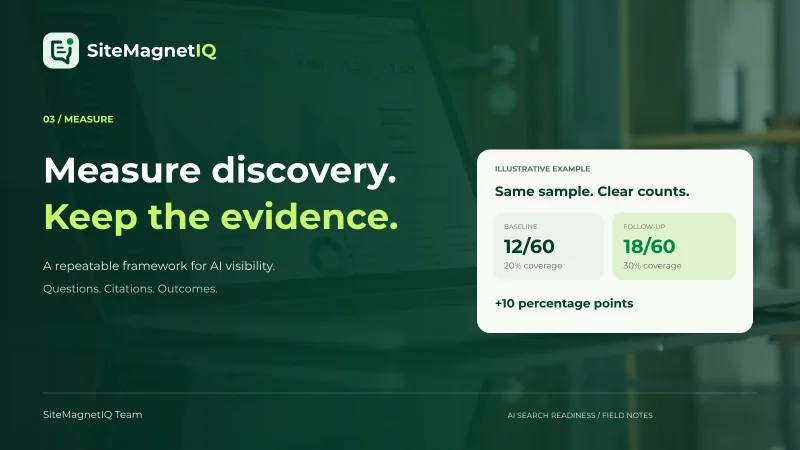
For a hypothetical baseline of 20 pages, imagine that eight pages had unclear introductory explanations. The baseline sample gap would be 40%. If the same check later finds three affected pages, the sample gap would be 15%, a decline of 25 percentage points. Those numbers describe an illustrative website check, not an observed gain in AI recommendations.
| Verification item | Before | After | Interpretation |
|---|---|---|---|
| Sampled pages | 20 | 20 | Scope stayed constant |
| Pages failing the example clarity check | 8 | 3 | Five sampled pages changed status |
| Observed sample gap | 40% | 15% | Website readiness improved on this check |
| Live recommendation rate | Not measured | Not measured | No visibility conclusion is justified |
If the model, audit rules, or crawl scope changed, document that difference. A score increase produced by a new scoring method is not automatically a website improvement. Preserve the saved snapshots so the team can explain what changed.
Days 27–30: turn the findings into an ongoing process
Finish the first month with a small maintenance plan. Assign owners for business facts, technical access, documentation, article updates, and measurement. Agree on events that trigger a review, such as a product release, pricing change, new location, rebrand, migration, or policy update.
Separate implementation status from observed discovery outcomes. A completed content fix belongs in the delivery report. A measured citation belongs in the visibility report. A qualified inquiry belongs in the business report. Keeping those records distinct makes the project easier to assess and avoids giving credit to changes that have not been evaluated.
SiteMagnetIQ can support the website-check portion of this workflow through prioritized findings, affected-page evidence, and downloadable reports. The current audit does not measure live mentions in ChatGPT, Claude, or Gemini. Use it to organize what your team can inspect and improve, then observe external discovery separately.
If the investigation is still unclear, revisit why ChatGPT may not recommend your business. For the observation process that follows this checklist, use the guide to measuring AI visibility. Do not interpret a finished calendar as a finished discovery strategy; the next review should follow actual changes and evidence.
Frequently asked questions
Does every business need to complete the plan in exactly 30 days?
The 30-day schedule is an editorial planning example. Teams should adapt it to their website size, engineering capacity, review requirements, and risk. Preserve the sequence of diagnosis, implementation, and verification rather than rushing changes to match arbitrary dates.
Do I need to publish an llms.txt file?
An llms.txt file can provide a convenient summary for systems that choose to read it. The file is not a universal entry requirement for AI search and does not replace useful public pages, accurate crawler controls, or normal website maintenance.
Can structured data make an AI tool recommend my company?
Structured data can describe the company or page accurately in a machine-readable form. It cannot force an independent service to choose the source or recommend the company. Keep the markup aligned with visible facts and measure selection separately.
Should I add statistics to every paragraph?
Use numerical information when it helps a reader understand a real comparison, result, method, or constraint. Unsupported numbers make content less trustworthy. A clear explanation without a statistic is more useful than a paragraph padded with an irrelevant percentage.
What should I do when an audit result is unknown?
An unknown result means the available evidence did not support a reliable pass-or-fail conclusion. Inspect the cause, such as an unavailable response or insufficient context, and assign an appropriate follow-up. Unknown should not be silently converted into a confirmed failure or a success.
Sources and research notes
- GEO: Generative Engine Optimization, KDD 2024 version. Experimental visibility research; its reported improvements are not commercial outcome guarantees.
- Google: AI features and your website. Primary guidance for Google’s AI search features.
- Google: introduction to robots.txt. Primary crawling-control guidance.
- Anthropic: crawler roles and controls. Primary documentation for the named Anthropic agents.
- Google: common crawler reference. Product-specific Google-Extended controls.
- Web Vitals. Primary definitions and thresholds for the listed experience metrics.
The schedule, inventories, sample counts, and before-and-after tables are original illustrative planning examples. They are not customer case studies, statistical guarantees, or measured SiteMagnetIQ outcomes. Check current provider documentation before making production access changes.

Written by SiteMagnetIQ Team
Practical website guidance with clear sources, explicit limits, and actionable next steps.
About our editorial approach ↗